
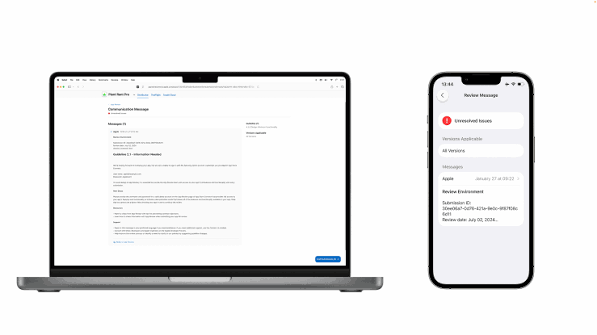
If you are searching for Apple Developer Account Login, you probably want to access your Apple Developer account, manage your developer membership, work with App Store Connect, or continue building and publishing apps for Apple devices. The good news is that the login process is straightforward: Apple uses your regular Apple Account credentials rather than a separate developer-only username and password.
Apple states that developers can sign in to the Apple Developer website using their Apple Account. If you are enrolled in a paid Apple Developer Program, you should use the same Apple Account that was used during enrollment.
This guide explains how to log in, what you need before signing in, how two-factor authentication works, and what to do if your Apple Developer login is not working.
What Is Apple Developer Account Login?
An Apple Developer account gives developers access to Apple’s development resources, tools, documentation, testing services, and developer-related account features.
You do not necessarily need a paid membership just to access many developer resources. Apple offers a free registration option that provides access to resources such as developer documentation, forums, Feedback Assistant, and certain beta software.
A paid Apple Developer Program membership is required for activities such as distributing apps through Apple’s platforms and accessing additional development capabilities. Apple currently lists the Apple Developer Program at $99 per year, although pricing can vary by region.
How to Log In to Your Apple Developer Account
The easiest way to access your account is through the official Apple Developer website.
Step 1: Open the Apple Developer Website
Go to the official Apple Developer website and select Account from the top-right area of the page.
Step 2: Enter Your Apple Account Details
Sign in using the Apple Account associated with your developer account.
If you have already enrolled in the Apple Developer Program, Apple recommends using the Apple Account that you used during enrollment.
Step 3: Complete Two-Factor Authentication
Depending on your account and the service you’re accessing, Apple may require two-factor authentication or two-step verification.
For program Account Holders, two-factor authentication is required for signing in to the developer account. Apple also requires two-factor authentication or two-step verification for App Store Connect users.
Enter the verification code when prompted and complete the sign-in process.
Step 4: Open Your Developer Account
After successful authentication, you can access the developer account area and available resources associated with your Apple Account.
If you belong to more than one development team, Apple allows you to switch between the teams from the team menu.
Apple Developer Login vs. App Store Connect Login
One common source of confusion is the difference between the Apple Developer website and App Store Connect.
The Apple Developer website provides access to development resources, certificates, identifiers, profiles, membership information, and other developer services.
App Store Connect is focused more heavily on managing apps, TestFlight, users, analytics, sales information, and app distribution.
Your access can also depend on your assigned role. Apple explains that different App Store Connect roles provide different levels of access to account and app-management features.
Therefore, if you can log in to the Apple Developer website but cannot access a particular App Store Connect feature, the issue may be related to your account role rather than your password.
What Do You Need Before Apple Developer Login?
Before attempting to sign in, make sure you have:
- An active Apple Account
- The correct Apple Account email or phone number
- Your Apple Account password
- Access to a trusted device or trusted phone number when two-factor authentication is required
- An internet connection
- The Apple Account associated with your developer membership, if you are already enrolled
Keeping your Apple Account information and trusted contact details current can help prevent authentication problems. Apple specifically advises users not to share their password or six-digit verification code with anyone.
Apple Developer Account Login Not Working? Try These Fixes
Sometimes the login page works but authentication fails. Try these troubleshooting steps.
1. Check Your Apple Account
Make sure you are using the Apple Account associated with your developer membership. Using a different Apple Account can result in missing teams, memberships, or developer resources.
2. Check Your Password
If you cannot remember your Apple Account password, use Apple’s official account-recovery process instead of repeatedly entering incorrect passwords.
3. Check Two-Factor Authentication
If Apple asks for a verification code, make sure you can access your trusted device or trusted phone number.
If the code does not arrive, check your trusted devices and available verification options.
4. Try Another Browser
A browser issue can occasionally interfere with the login process. Try a current version of Safari, Chrome, Firefox, or Microsoft Edge.
You can also try a private/incognito window if cookies or cached data appear to be causing problems.
5. Check Which Team You Are Viewing
Developers who belong to multiple teams may accidentally be looking at the wrong team after signing in. Apple provides a team-selection option for accounts associated with multiple development teams.
6. Contact Apple Developer Support
If your credentials are correct but your membership, enrollment, or account access is still unavailable, Apple provides developer support for account and membership questions.
Do You Need a Paid Apple Developer Account?
Not necessarily.
Apple provides a free developer registration that allows users to access various developer resources and test apps on their own devices with Xcode. A paid Apple Developer Program membership is needed for broader distribution and additional capabilities.
For example, someone learning iOS development may start with free registration before deciding to enroll in the paid program.
How to Create an Apple Developer Account
If you do not already have a developer account, you can start by signing in with your Apple Account and accepting the Apple Developer Agreement.
Apple’s registration process provides free access to several developer resources.
If you want to enroll in the paid Apple Developer Program, Apple requires an Apple Account with two-factor authentication enabled. Individual and organization enrollment have different verification requirements.
Organizations may need information such as their legal entity details, D-U-N-S Number, work email address, website, and proof of authority to enroll the organization.
Apple Developer Login on iPhone, iPad, and Mac
You can also manage certain Apple Developer account activities through the Apple Developer app.
For enrollment through the app, Apple requires a compatible device, an Apple Account with two-factor authentication enabled, the latest Apple Developer app, and iCloud sign-in on the device.
The process generally starts by opening the Apple Developer app, selecting the Account tab, and signing in with your Apple Account.
Top Google Searches Related to Apple Developer Account Login
People searching for Apple Developer Account Login may also search for:
- Apple Developer account login
- Apple Developer login
- Apple Developer account sign in
- Apple Developer Program login
- Apple Developer portal login
- Apple Developer login page
- Apple Developer account sign in with Apple ID
- Apple Developer account not working
- Apple Developer login problem
- Apple Developer account access
- App Store Connect login
- Apple Developer membership login
- Apple Developer account registration
- How to create Apple Developer account
- Apple Developer account password reset
- Apple Developer two-factor authentication
- Apple Developer enrollment login
- Apple Developer account team login
- Apple Developer portal sign in
- Apple Developer account verification
Frequently Asked Questions
Is Apple Developer Account login the same as Apple Account login?
Yes. Apple Developer uses your Apple Account for authentication. If you are already enrolled in a paid developer program, you should generally use the Apple Account that was used for enrollment.
Is an Apple Developer account free?
Basic Apple developer registration is free. Apple provides access to various resources without requiring paid membership. However, the paid Apple Developer Program is required for additional capabilities, including app distribution.
How much does the Apple Developer Program cost?
Apple currently lists the Apple Developer Program at $99 USD per year, with local-currency pricing available in some regions.
Why can’t I access my Apple Developer team?
First, confirm that you are signing in with the correct Apple Account. If you belong to multiple development teams, check the team selector after signing in. If the team is still missing, your account’s membership or assigned access may need to be checked.
Is two-factor authentication required?
Two-factor authentication is required for program Account Holders signing into their developer account. App Store Connect also requires two-factor authentication or two-step verification for users.
Can I use Apple Developer without paying?
Yes. You can register for free and access many Apple developer resources. Paid membership is needed for additional services and distribution capabilities.
What should I do if I forgot my Apple Account password?
Use Apple’s official account recovery process rather than giving your password or verification code to another person. Never share your six-digit verification code with anyone.
Can I have multiple Apple Developer teams?
Yes. Apple says that if you have joined multiple development teams using the same Apple Account, you can switch between the associated teams from the team menu.
Final Thoughts
The Apple Developer Account Login process is essentially an Apple Account sign-in rather than a separate developer-specific login. For basic developer resources, free registration may be enough, while developers who want to distribute apps and use additional program features generally need paid membership.
If you cannot sign in, start by checking that you’re using the correct Apple Account, verify your two-factor authentication, and confirm that you’re selecting the correct development team. For membership or enrollment problems that cannot be resolved through normal login troubleshooting, Apple’s Developer Support resources are the appropriate next step.